Inviting trusted individuals to your Cloudflare account allows for collaborative management of your domain’s performance, security, and DNS settings without sharing login credentials.
Begin by logging into your Cloudflare account: https://dash.cloudflare.com/login
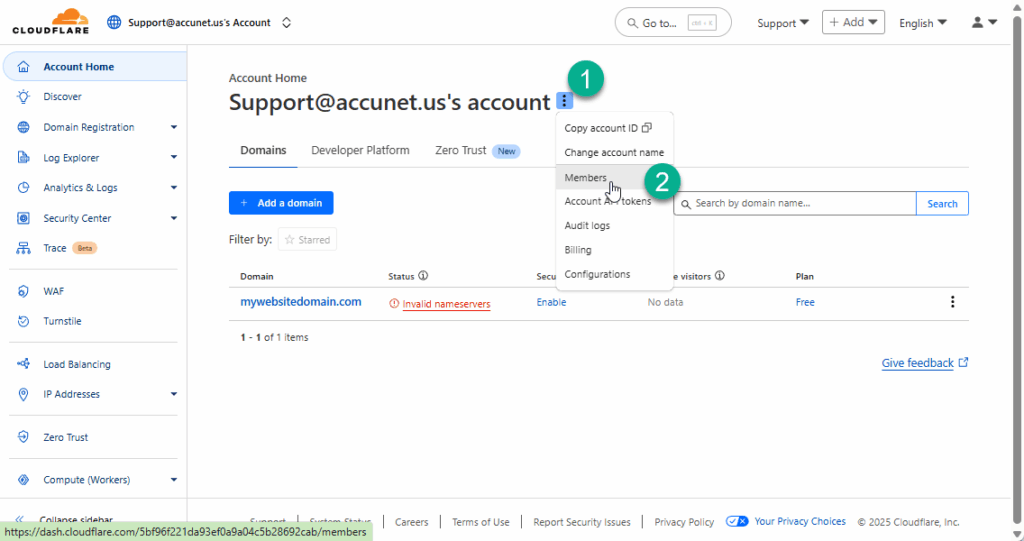
1. To the right of your account name, click the menu button with the 3 dots.
2. Choose Members
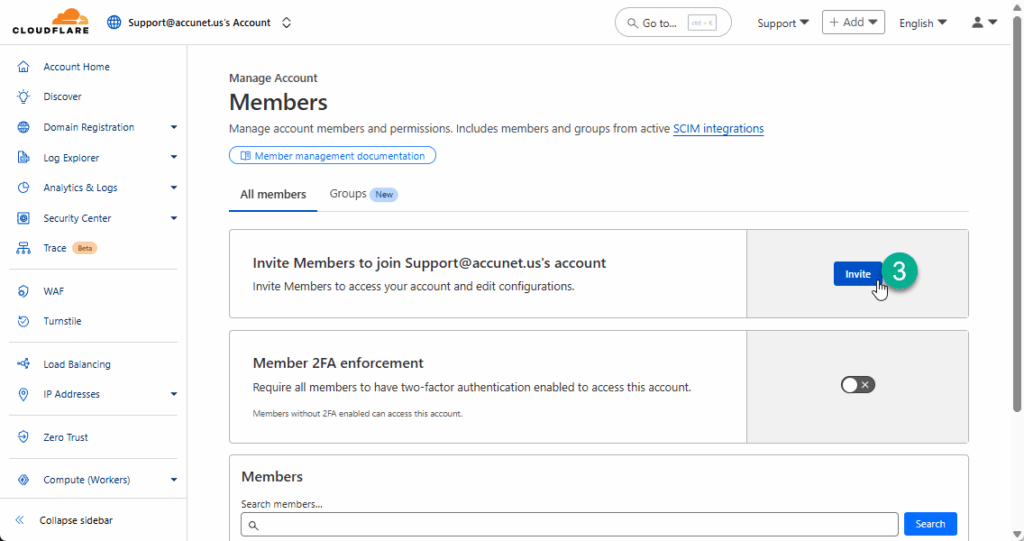
3. Click the Invite button
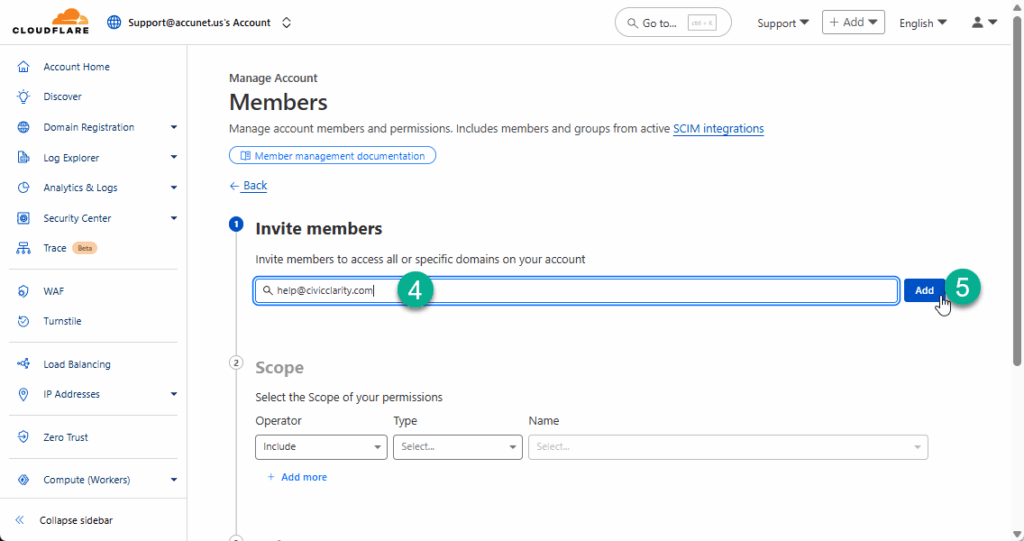
4. Enter the email address of the person or people you wish to invite.
5. Click Add
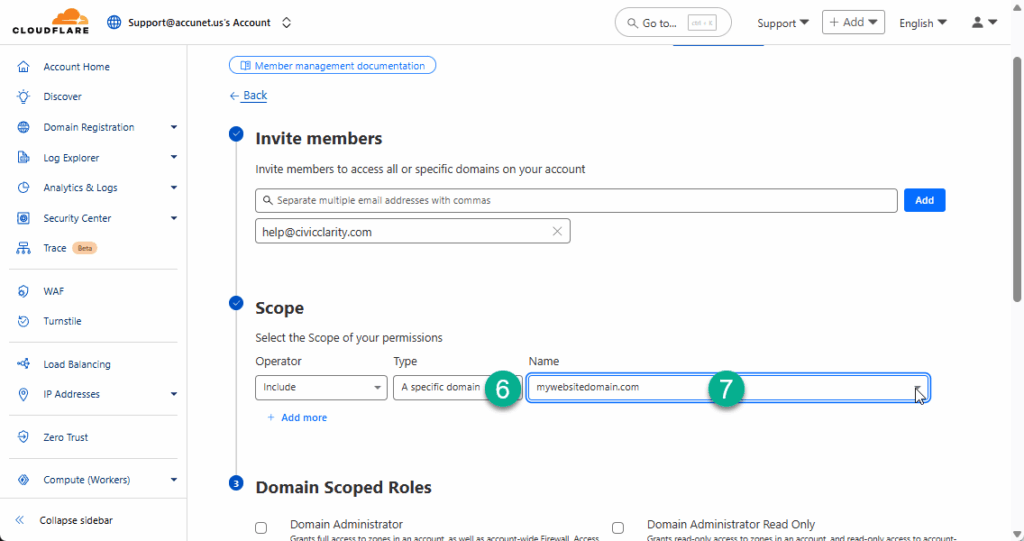
6. Under the Scope Type, choose “A specific domain”
7. Choose your domain name
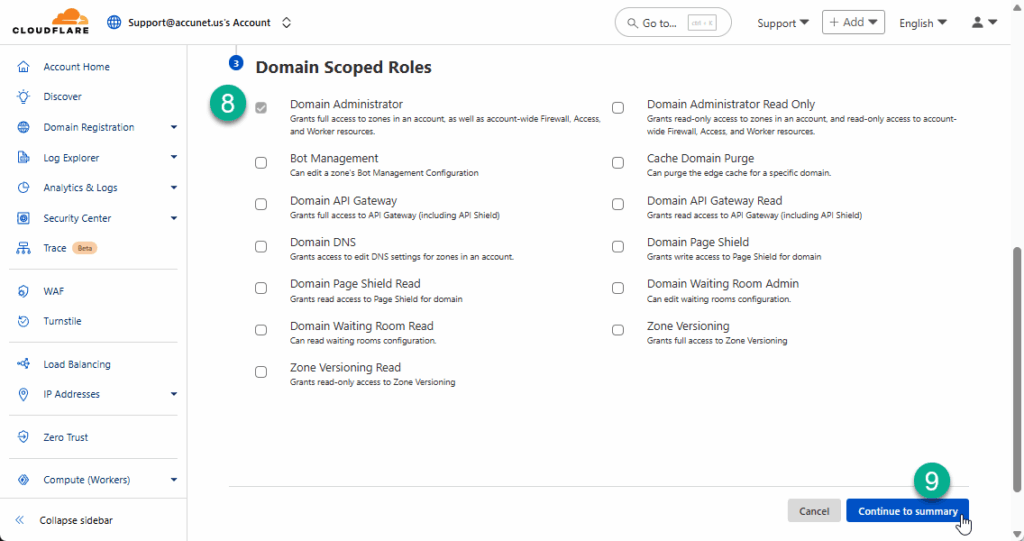
8. Check the box next to “Domain Administrator”
9. Click the button “Continue to summary”
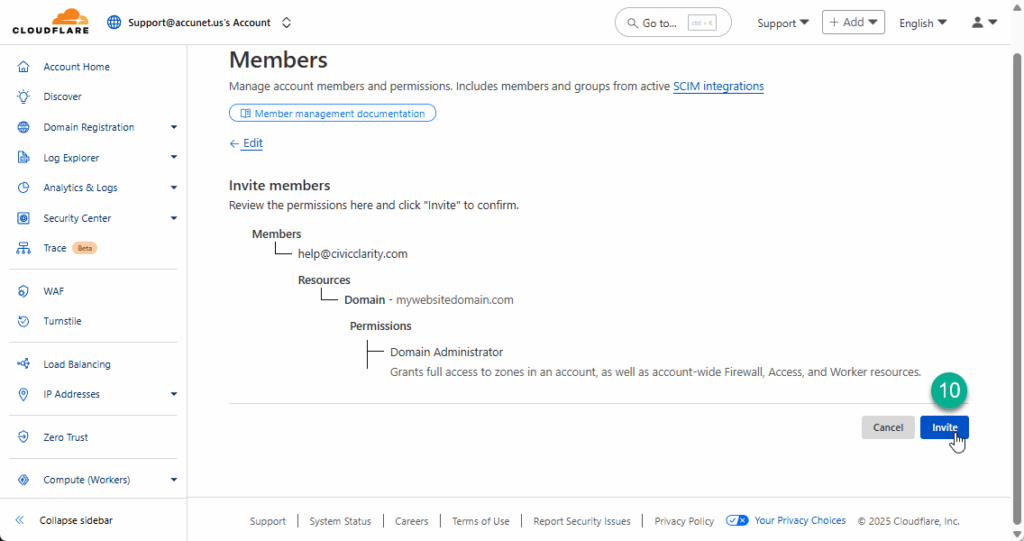
10. Review the summary, then click the button : “Invite”
That’s it!
No further action is required on your part.
On the next screen you will see a list of Members, including the one(s) you’ve just added, with a status of “Invite Pending”
These new members will receive an email notifying them of the invitation.
Cloudflare will notify you after they have accepted.
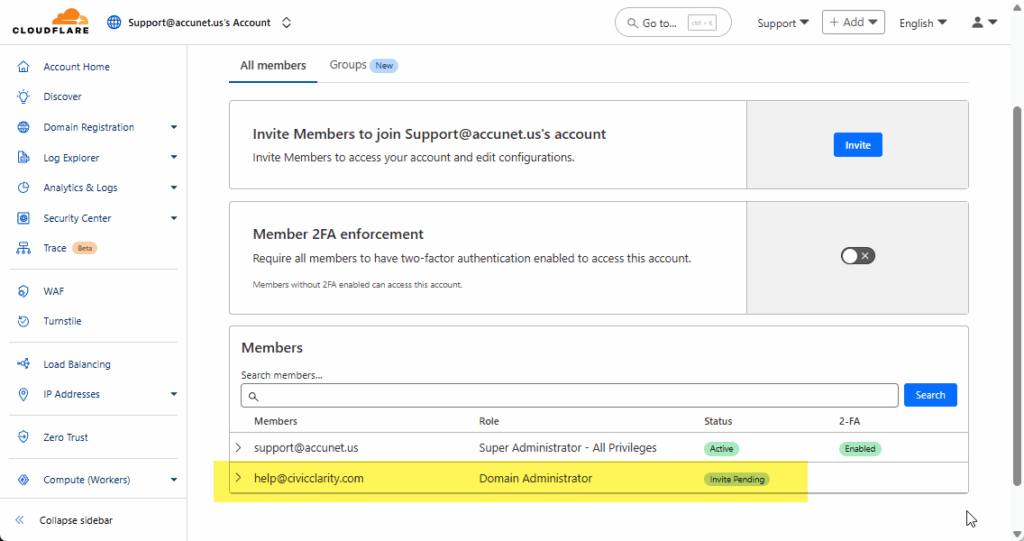
Should you need to add or remove a Member in the future, you can do so from this Members area. To remove someone, click on their email address, and choose “Revoke”