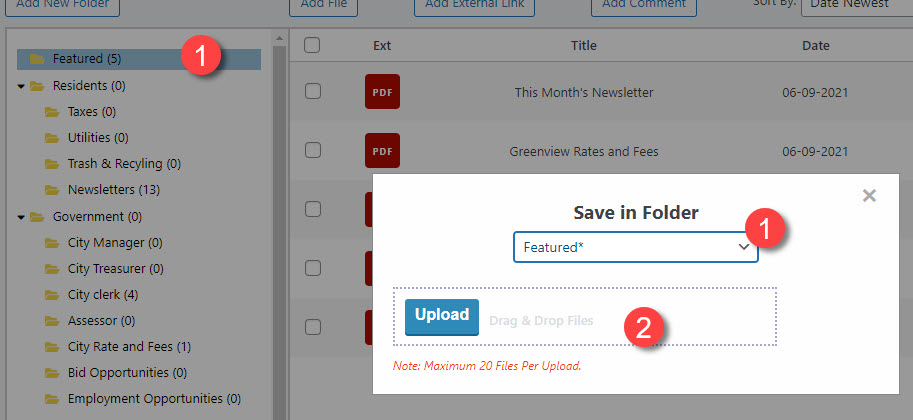
Maximum number of files to upload at a time is 20.
Maximum size of file is 50MB
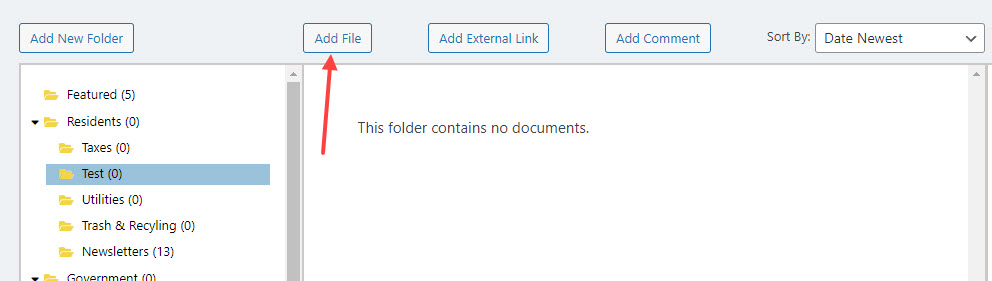
Choose Add File button
1 = Either choose/highlight the folder you want the file to go into OR choose the folder using the drop down field.
2 = Either choose Upload button to access your computer’s files or drag the file form another window.